Shared operating record
Property, issue, audiences, staff owner, status, next event, permissions, and message history connected without merging recipient threads.
tenant owner vendor communication automation
EMC2Ops connects the separate conversations around a property issue to one operating record. Residents receive the next step, vendors receive dispatch context, owners receive reviewable status, and staff keep control of approvals and sensitive messages.
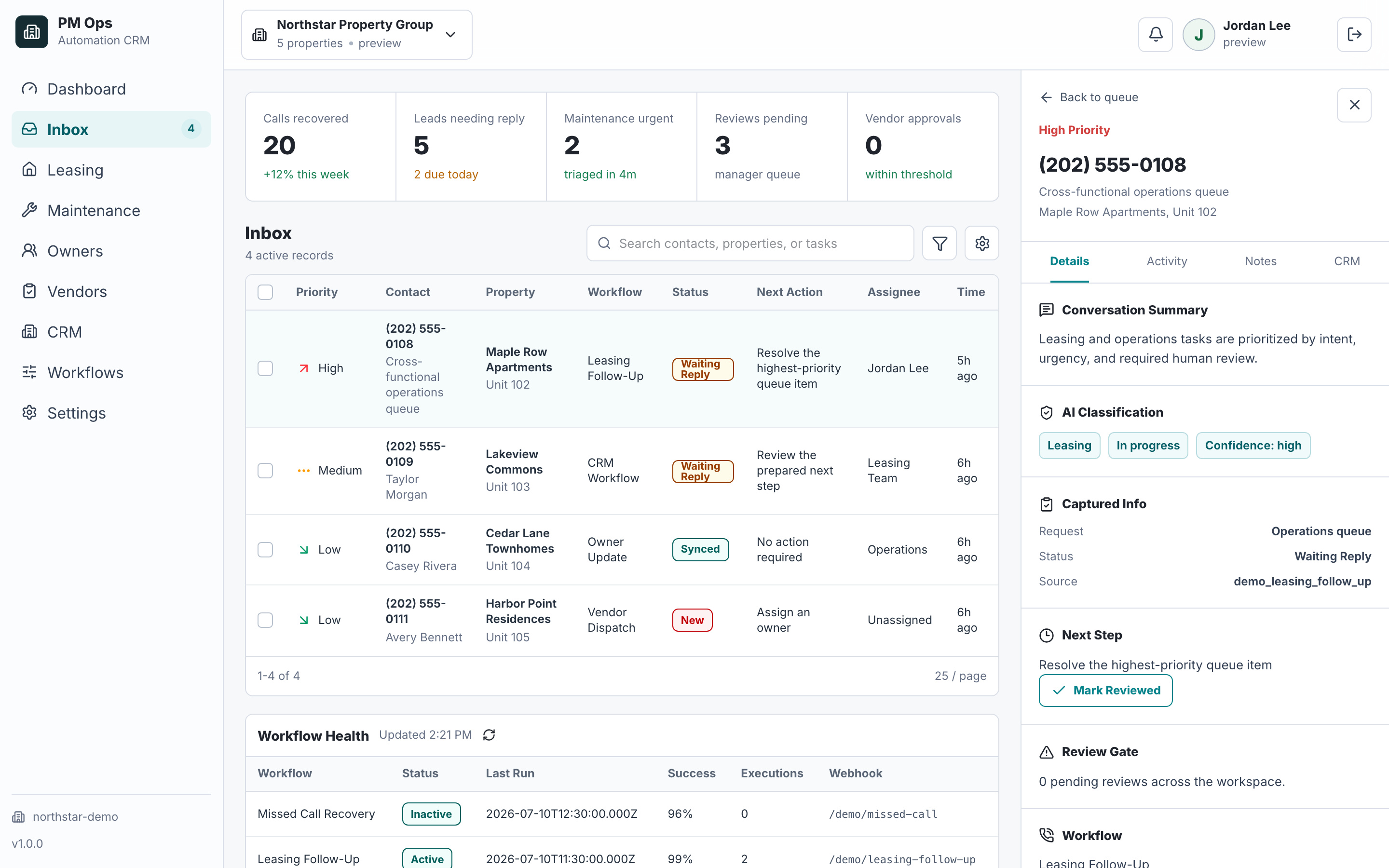
A property team wants resident, owner, and vendor conversations coordinated from one operating record without exposing the wrong context.
Resident, owner, vendor, and staff updates live in separate texts, emails, inboxes, and work-order notes.
Staff rewrite the same status several times while deciding which details belong in each audience's message.
A vendor decline or missed ETA does not reliably trigger the next coordinator, resident, or owner action.
Automation can expose private context or send a premature completion message when every audience is treated as one thread.
Operational outcomes
These are workflow states to verify after launch, not guaranteed performance claims.
One current operating status without combining resident, owner, vendor, and internal-only conversations.
Audience-specific messages that expose only the approved context and next step for each role.
Replies, approvals, delays, vendor declines, and exceptions that update ownership and trigger the correct next action.
A final activity history with completion evidence, unresolved follow-up, and system-of-record closure.
Property, issue, urgency, current stage, accountable staff owner, and next event.
System of recordAcknowledgement, access request, appointment or ETA, safe next step, and update expectation.
Resident channelApproved scope, location, media, access window, deadline, and response or exception path.
Vendor channelStatus, material cost or approval need, next step, delay, and staff-reviewed summary.
Owner channelAudit deliverables
We trace one multi-party issue across resident acknowledgement, vendor dispatch, owner approval or update, staff takeover, status relays, audience-specific privacy rules, and final system-of-record closure.
Property, issue, audiences, staff owner, status, next event, permissions, and message history connected without merging recipient threads.
Separate resident access context, vendor scope, owner financial context, and internal notes according to purpose and policy.
Acknowledgement, approval, scheduling, delay, vendor decline, completion, and exception events that create the right next task or draft.
Staff approval for costs, complaints, legal issues, owner-sensitive updates, delays, unusual resident replies, and high-risk exceptions.
Current owner, backup queue, due time, and transcript context applied to every inbound response.
Stops for opt-out, dispute, legal issue, staff takeover, invalid contact, duplicate event, or verified completion with unresolved tasks retained.
Integration paths
The final connection depends on account permissions, supported APIs, fields, webhooks, and the safest available fallback. EMC2Ops verifies the path before promising an automated writeback.
Holds the current status, accountable staff owner, permissions, next event, and separate audience histories.
Scope supported resident, owner, maintenance, task, or note handoffs after access is verified.
Connect supported communication and work-order paths through the safest available integration route.
Keep resident acknowledgements, access questions, updates, opt-outs, and exceptions in role-specific threads.
Send approved scope or reviewable status without exposing resident, owner, vendor, or internal-only context to the wrong audience.
Coordinate status changes with supported APIs, inbox parsing, forms, Zapier, Make, n8n, or custom logic.
Workflow audit
We will map the shared record, audience rules, review gates, reply ownership, and status events for one resident-owner-vendor workflow.
Operational change
Measurement and proof
Resident, owner, vendor, and staff messages share one operating status but remain separate conversations. Delivery volume does not count as proof that coordination improved.
Elapsed time from a complete status or detected exception to the correct audience-specific message, staff task, vendor path, or owner-review queue.
Proof records: Status event, workflow log, destination acceptance, assigned owner, and failure record.A conservative comparison of staff-written messages for the same workflow volume before and after launch, excluding rewrites and automation-created work.
Proof records: Baseline sample, staff-sent counts, workflow volume, and exception or rewrite records.The share of eligible runs requiring human review for emergencies, costs, complaints, legal issues, unclear replies, opt-outs, or system failures.
Proof records: Workflow run, exception reason, human-review queue, and resolution state.Inbound resident, owner, or vendor replies that do not receive a named staff owner or approved workflow route within the defined service window.
Proof records: Inbound reply, audience identity, assignment event, due time, and final owner or exception state.PM Ops screenshots on this site use fictional workflow data. EMC2Ops currently publishes two five-star reviews from general automation projects, not property-management outcome claims. A property-management customer story will publish only after its baseline, source records, measurement window, metric definitions, limitations, quotation, and client approval are verified.
Qualification
Use one operating status with separate audience-specific threads: residents or tenants receive acknowledgements and access updates, vendors receive approved scope and response paths, owners receive reviewable status or approval requests, and staff retain control of sensitive decisions and exceptions.
No. They share one operating status, but each audience receives a separate message containing only the approved context, next step, and reply path for that role.
Yes. Review can be required by cost, issue type, complaint status, delay, property, owner preference, or any other reliable rule in the connected systems.
The vendor response updates the shared status, creates the configured coordinator or fallback-vendor task, and prevents unconfirmed completion or scheduling messages from reaching other audiences.
Next step
Use the audit to confirm the trigger, owner, required data, automation rules, stop conditions, and system-of-record update.
Hi — I’m the EMC2Ops assistant. I can answer questions, discuss the workflow you want to automate, or get a consultation on the calendar.
What brings you here?