Connection path
API, middleware, inbox, form, or review queue selected from the workflow need and available access.

AppFolio
EMC2Ops scopes your AppFolio integration around a specific leasing, maintenance, or communication handoff. We map each AppFolio workflow integration to the authorized connection path, required fields, fallback route, and human review gates.
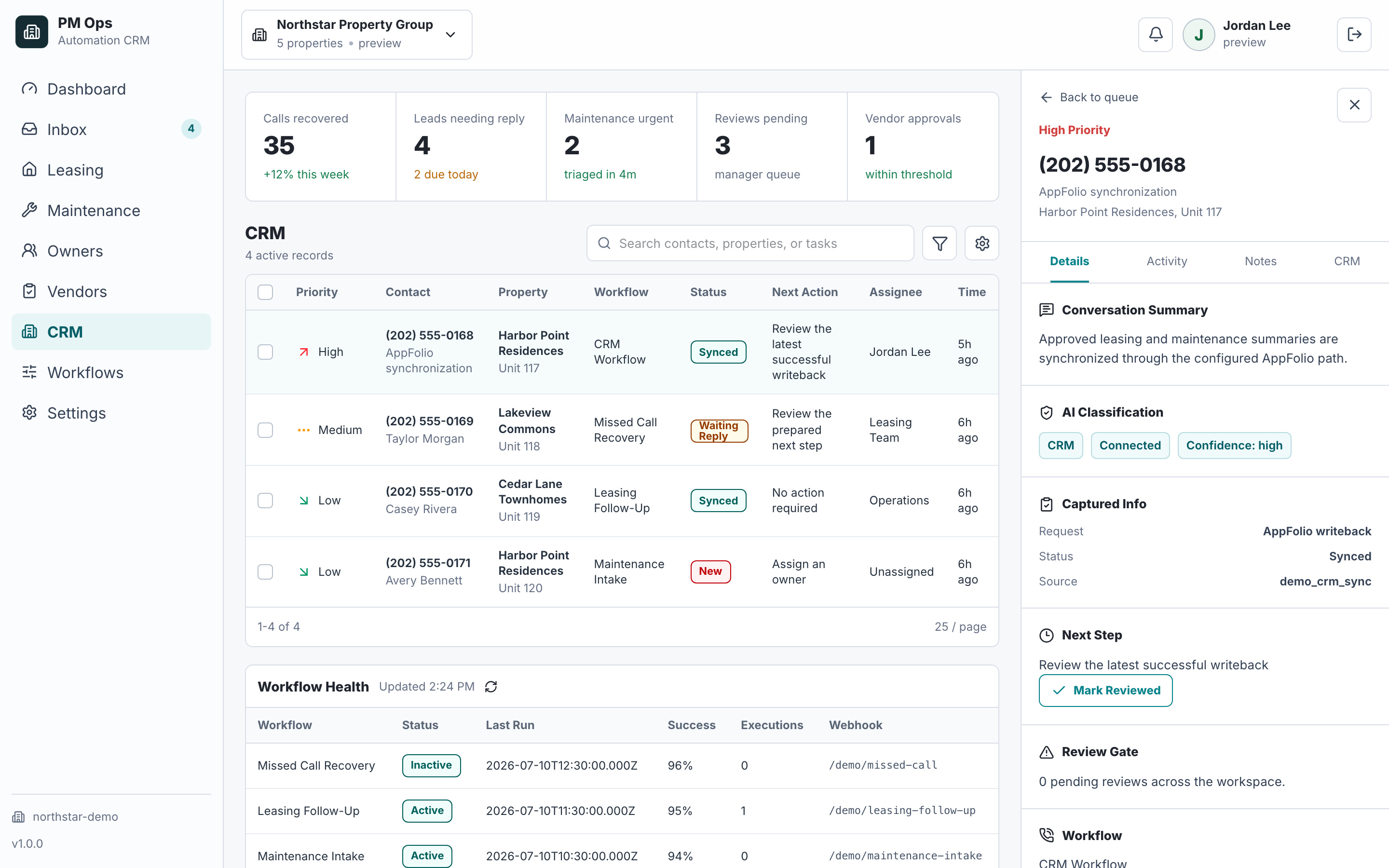
We review which AppFolio-adjacent workflows can use API, middleware, webhooks, inbox parsing, forms, or human review based on your account access and target fields.
Leasing lead capture and follow-up
Maintenance intake and routing
Owner update drafting and approval
CRM notes, tasks, and operational handoffs
Audit deliverables
Integration work starts by choosing the safest connection path for the workflow: API, middleware, inbox or form parsing, review queue, or a hybrid route.
API, middleware, inbox, form, or review queue selected from the workflow need and available access.
Property, resident or prospect identity, status, owner, urgency, source, and next action.
Follow-up, intake, routing, summaries, reminders, tasks, and review queues around AppFolio-adjacent steps.
Supported notes, tasks, summaries, status updates, or handoff records written through the safest available route.
Controls for staff takeover, limited permissions, duplicate records, sensitive updates, and unclear data.
Human review for owner-facing updates, repair approvals, complaints, payments, and unusual resident issues.
Available automation depends on your AppFolio permissions, configured modules, export options, and supported integration paths.
Some workflows can write directly through approved API or middleware routes; others should use review queues or inbox-based handoffs.
Sensitive updates, financial decisions, and owner-facing messages should keep human approval unless your policy says otherwise.
Email or inbox parsing for lead, maintenance, and owner-update events when direct access is limited.
Forms or intake links to collect missing context before a team member updates AppFolio.
Middleware such as Zapier, Make, n8n, or custom webhooks when supported by the surrounding tools.
Human review queues for status changes that cannot be written safely or automatically.
AppFolio Stack provides integration partnerships and documented APIs. Access to a named operation depends on the approved integration and customer configuration. These examples describe connection choices to verify; EMC2Ops does not claim AppFolio partnership or unrestricted API access.
Use an authorized integration when its documented operations cover the needed record and action.
Confirm enrollment, customer authorization, available fields, and read/write capabilities with the provider.Connect the phone, form, inbox, or CRM when those tools expose supported events.
A Zapier, Make, or n8n workflow does not itself grant AppFolio access. Verify the final handoff separately.Prepare a structured summary and owned task when a supported direct write is unavailable.
Staff verify the source, update AppFolio through their authorized workflow, and record completion.Capture source, property interest, contact, requested tour, and next action from an approved inquiry channel.
Match an existing record before a supported update or reviewed guest-card handoff.Collect property/unit context, reported issue, access details, and evidence references.
Staff retain emergency routing, spending approval, and verification of completion.Verify current capabilities: AppFolio Stack integration overview · AppFolio Stack API overview. Reviewed September 7, 2026.
Workflow audit
We will map the workflow, required data, access limits, fallback route, and review gates before recommending the connection path.
Operational change
Current AppFolio workflow screenshots or field names.
The trigger that should start the automation.
Required destination fields, notes, tasks, or owner-visible updates.
Examples of exceptions that should stop automation.
Qualification
AppFolio automation for property managers is the process of connecting leasing, maintenance, owner update, communication, task, note, and CRM handoff workflows around AppFolio based on the access paths your account and surrounding tools support.
No. EMC2Ops builds workflows around your operating stack so AppFolio and related systems receive cleaner context and fewer manual updates.
Field-level automation depends on your AppFolio setup, permissions, available APIs, and the middleware used in the workflow.
Next step
Use the audit to confirm the connection path, required fields, fallback route, review gates, and first workflow to deploy.
Hi — I’m the EMC2Ops assistant. I can answer questions, discuss the workflow you want to automate, or get a consultation on the calendar.
What brings you here?