Lead-source intake
Calls, SMS, forms, ILS alerts, email, chat, referrals, and walk-in entries normalized without erasing source context.
leasing intake and routing automation
EMC2Ops connects calls, texts, website forms, ILS alerts, email, and walk-in entries to one leasing intake path that preserves source, prevents avoidable duplicates, captures renter intent, assigns ownership, and records the outcome.
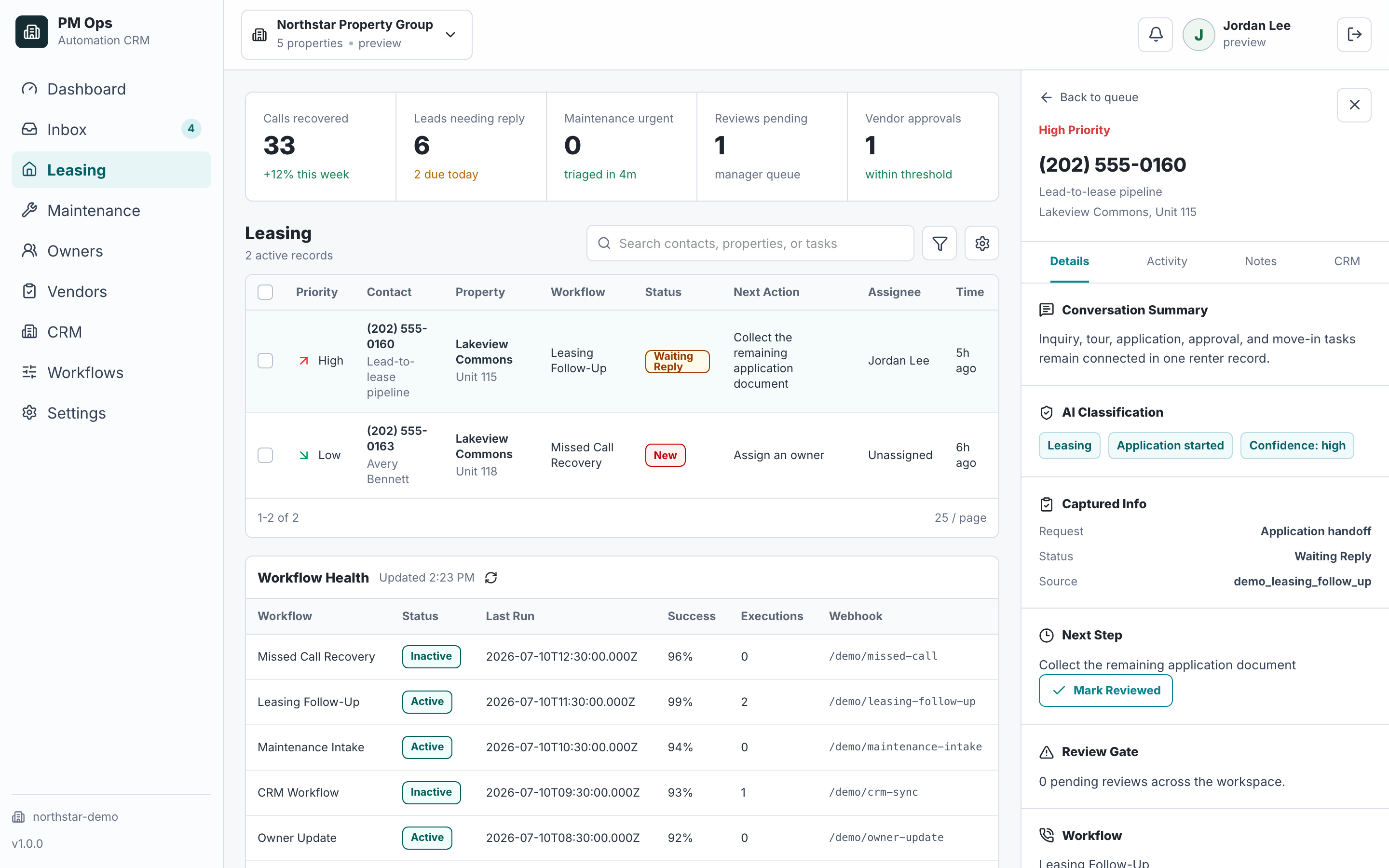
A leasing team wants every inbound renter inquiry normalized, matched, qualified, owned, and moved to a defined next step.
Calls, forms, ILS alerts, texts, emails, and walk-ins create different guest-card shapes and follow-up paths.
Repeat inquiries create duplicate records that split property interest, source attribution, and conversation history.
Property, language, urgency, coverage, and lead stage do not consistently determine the right owner or response SLA.
A renter can receive outreach after booking, applying, opting out, becoming unqualified, or entering a staff-owned conversation.
Operational outcomes
These are workflow states to verify after launch, not guaranteed performance claims.
One renter record that preserves source and combines approved inquiry context without unsafe automatic merging.
A visible owner, route reason, due time, next action, and stop state for every eligible inquiry.
A confirmed showing, staff-owned response, application handoff, waitlist path, or documented exception instead of an unowned lead.
CRM or property-management records that reflect replies, bookings, applications, opt-outs, and staff takeover.
Channel, campaign, timestamp, phone, email, property, and duplicate confidence.
Intake layerMove date, unit, budget, occupancy, pets, tour preference, and question type.
AI intakeProperty, primary agent, backup queue, due time, route reason, and staff-takeover state.
Routing ruleBooked, staff-owned, waiting on renter, application-ready, disqualified, or stopped.
CRM updateAudit deliverables
We trace each inbound lead source through identity matching, required qualification fields, property and agent routing, tour or application handoff, CRM writeback, stop rules, and staff exceptions.
Calls, SMS, forms, ILS alerts, email, chat, referrals, and walk-in entries normalized without erasing source context.
Phone, email, property interest, open-stage, and confidence checks that update, merge, or flag a renter record.
Move date, unit fit, budget, occupancy, pets, tour intent, and team-approved intake questions.
Property, source, coverage, urgency, language, and stage rules that choose automation, an agent, or an exception queue.
Source, identity decision, qualification, owner, stage, booking, task, summary, and stop state recorded in the operating system.
Human review for sensitive questions and immediate stops for booking, application, opt-out, disqualification, or staff takeover.
Integration paths
The final connection depends on account permissions, supported APIs, fields, webhooks, and the safest available fallback. EMC2Ops verifies the path before promising an automated writeback.
Normalize approved lead sources while preserving property, channel, campaign, timestamp, and original message context.
Scope guest-card, task, note, and leasing handoffs around verified account permissions and supported access.
Connect supported lead or task paths without promising unavailable direct field updates.
Use documented stages, ownership, tasks, and stop rules when the client's pipeline and access support them.
Expose approved availability, confirm the booking, and return cancellation, reschedule, or attendance state.
Use supported APIs, webhooks, exports, inbox parsing, Zapier, Make, n8n, or custom middleware.
Workflow audit
We will trace calls, forms, ILS leads, texts, and handoffs to find where renter context, ownership, or next-step routing breaks.
Operational change
Measurement and proof
Leasing intake should create a trustworthy identity, owner, route reason, and next state. Message volume alone does not prove that a lead was recovered, qualified, or booked.
Elapsed time from an eligible inquiry reaching the intake layer to provider acceptance of the first valid response.
Proof records: Source event, workflow run, provider acceptance timestamp, channel, and exclusions.The share of eligible inquiries routed to human review because identity confidence was not strong enough to merge or update a record safely.
Proof records: Identity candidates, confidence decision, review queue, and final merge or create action.One unique prospect who supplies the required intake fields and reaches a documented routing state without an automated screening decision.
Proof records: Approved intake rules, captured values, CRM status, route reason, and staff review when required.A confirmed calendar or scheduling record tied to one prospect and property. Tour requests and unconfirmed tasks are reported separately.
Proof records: Scheduling record, prospect and property identifiers, confirmation state, and later cancellation or attendance state.PM Ops screenshots on this site use fictional workflow data. EMC2Ops currently publishes two five-star reviews from general automation projects, not property-management outcome claims. A property-management customer story will publish only after its baseline, source records, measurement window, metric definitions, limitations, quotation, and client approval are verified.
Qualification
A complete leasing-intake system connects approved inquiry sources, identity and duplicate rules, renter-context collection, ownership routing, tour or staff handoff, CRM writeback, and stop conditions. EMC2Ops scopes that workflow around the access available in your phone, inbox, form, ILS, calendar, CRM, or property management stack.
Yes, when each source exposes a supported inbox, API, webhook, export, or integration. The workflow preserves the source and applies one identity, qualification, ownership, and stop model.
Documented confidence rules determine whether the workflow updates an existing guest card, creates a new record, or sends an uncertain match to staff review.
No. It collects approved intake fields and routes the next action. Screening decisions and fair-housing-sensitive questions stay in the property team's approved process.
Next step
Use the audit to confirm the trigger, owner, required data, automation rules, stop conditions, and system-of-record update.
Hi — I’m the EMC2Ops assistant. I can answer questions, discuss the workflow you want to automate, or get a consultation on the calendar.
What brings you here?