Stage triggers
Rules for missed inquiry, stale reply, booked tour, no-show, incomplete application, and stalled approval moments.
Leasing follow-up
EMC2Ops configures an AI leasing assistant to keep renter follow-up moving after an inquiry, missed call, tour, no-show, or incomplete application. This leasing lead automation works with your existing tools, approved messages, and staff handoff rules.
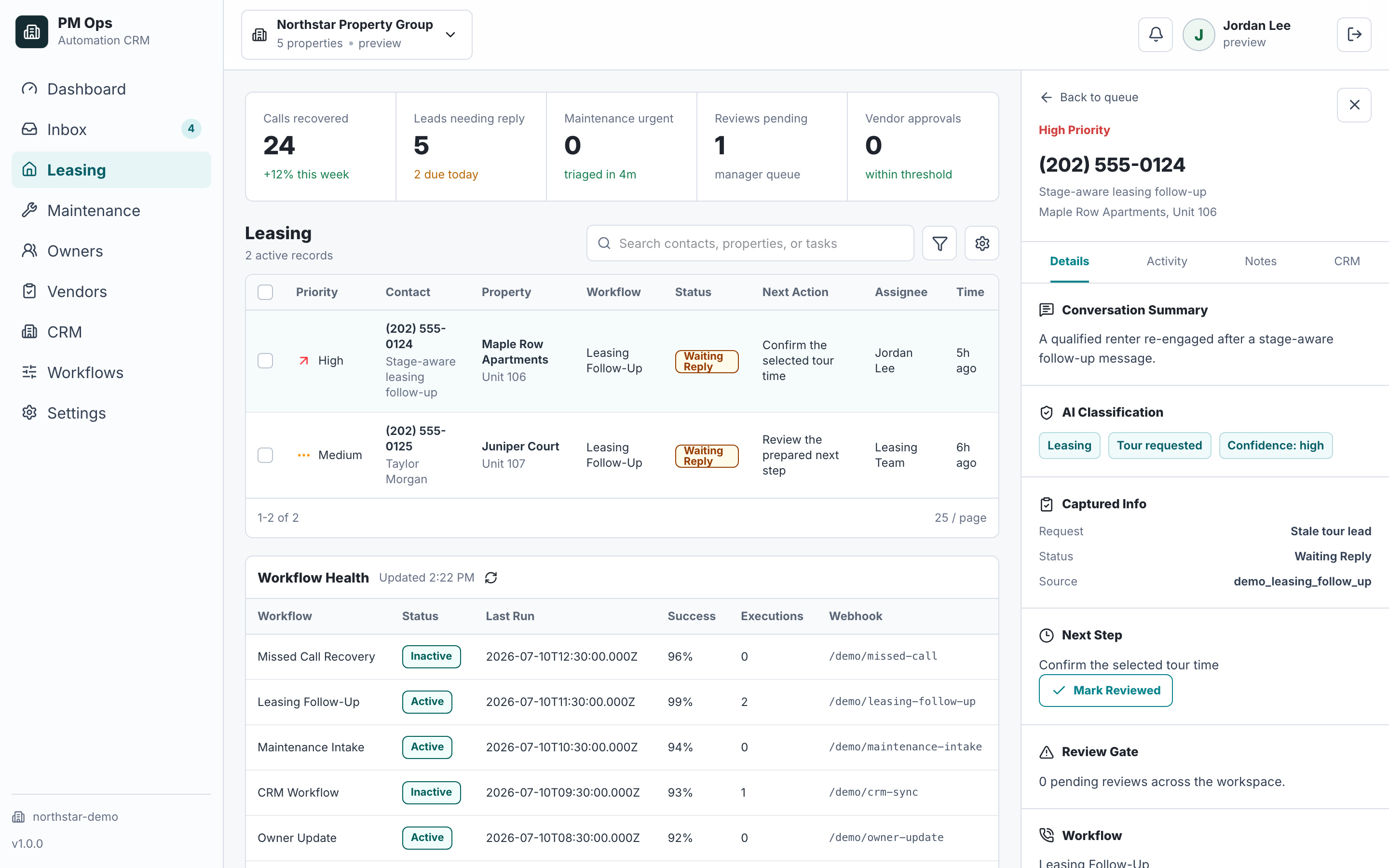
We audit the first inquiry, tour, no-show, stale reply, application, and handoff stages so follow-up moves leads forward without over-messaging.
Recover prospects who stopped replying after first contact, tour requests, or application links.
Send showing reminders, confirmations, no-show recovery prompts, and rebooking paths.
Update CRM stages, tasks, owners, and suppression rules when a prospect replies, books, no-shows, applies, or opts out.
Audit deliverables
Each install is scoped around concrete triggers, captured fields, automations, writebacks, stop rules, and escalation paths.
Rules for missed inquiry, stale reply, booked tour, no-show, incomplete application, and stalled approval moments.
Property, source, move date, unit fit, last action, consent status, owner, and next required step captured before outreach.
SMS, email, reminders, rebooking paths, and task creation matched to the renter's current stage.
Concise notes, tags, tasks, and stage updates that show what happened without flooding the record.
Automation pauses when a renter replies, books, applies, opts out, is disqualified, or a staff member takes ownership.
Questions about pricing, accommodations, complaints, approvals, or unusual situations go to a human with context.
Operator brief
Each step uses the renter’s current stage and your approved information. We agree the messages, timing, booking access, and stop conditions before implementation.
Capture property interest, move date, budget, unit preference, and requested tour time. Use an approved source for answers. When pricing or availability cannot be confirmed, create a staff task with the question and conversation summary.
Leasing automation can send an approved reminder, offer a supported rebooking path after a no-show, or flag an incomplete application. A reply, booking, opt-out, or staff takeover changes or stops the sequence.
Save the lead’s stage, staff owner, last meaningful response, and next task through an authorized connection. Record a confirmed tour separately from a tour request; send failed updates to an owned review queue.
Human boundary: Staff retain screening, accommodation, pricing-exception, and application-approval decisions. The assistant gathers information and supports the next step.
Workflow audit
We will review your lead sources, stage timing, message rules, CRM updates, and human takeover points before recommending the first sequence.
Operational change
Qualification
Virtual leasing assistant can mean an automated assistant or a remote staff member. EMC2Ops implements the automated workflow: approved responses, intake, follow-up, scheduling handoffs, and CRM updates. Your designated people handle questions and decisions outside that scope.
The implementation connects supported features in your existing leasing software, phone system, forms, calendar, and CRM. It does not supply a complete lease-accounting or property management platform. We verify the required read and write access before promising a connection.
Yes. The channel mix depends on your tools, consent language, and where the prospect entered the funnel.
No. Strong workflows vary by stage, timing, source, and the last known prospect action.
Yes. Stop rules are core to the workflow so automation pauses when a prospect books, applies, opts out, becomes unqualified, or a human takes over.
Next step
Bring your process and software. In a 15-minute consultation, we’ll outline the build, required access, approvals, and next steps.
Hi — I’m the EMC2Ops assistant. I can answer questions, discuss the workflow you want to automate, or get a consultation on the calendar.
What brings you here?