Workflow triggers
Calls, texts, forms, inbox events, bookings, no-shows, approvals, and status changes that should update the CRM.
CRM workflow automation
EMC2Ops provides property management CRM setup and workflow automation for the tools your team already uses. We connect renter inquiries, calls, texts, and tasks so each record shows the current stage, responsible person, and next action.
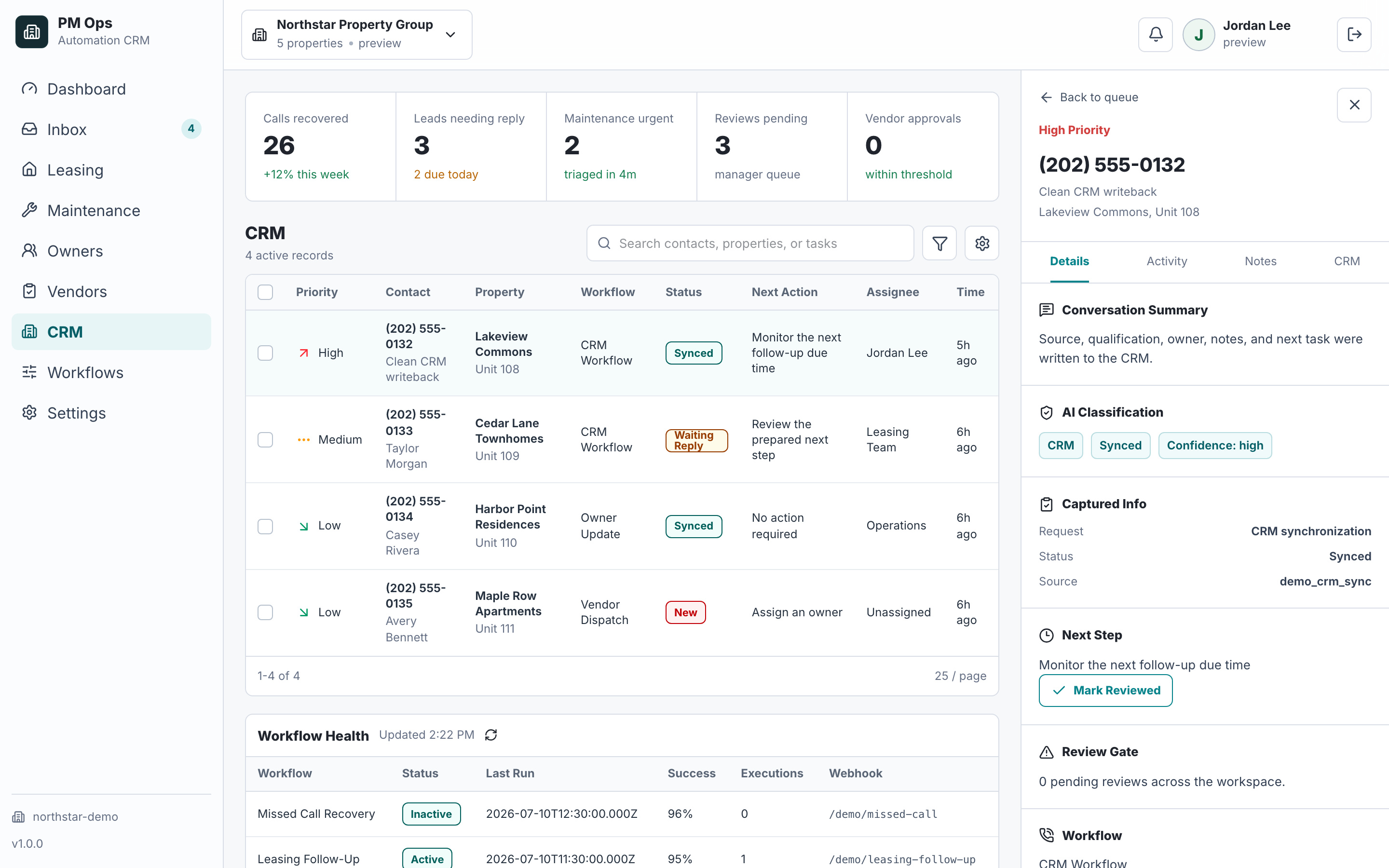
We inspect how conversations become CRM records, where duplicate records appear, what fields matter, and which tasks or stages should update automatically.
Log summaries from calls, SMS, forms, and leasing conversations.
Create tasks and update pipeline stages from workflow outcomes.
Reduce duplicate records and stale CRM notes.
Audit deliverables
Each install is scoped around concrete triggers, captured fields, automations, writebacks, stop rules, and escalation paths.
Calls, texts, forms, inbox events, bookings, no-shows, approvals, and status changes that should update the CRM.
Source, stage, owner, outcome, next step, due time, lead identity, property, and exception notes.
Task creation, stage movement, tagging, dedupe checks, summary generation, and owner assignment.
Clean notes and structured fields instead of raw conversation dumps or disconnected task lists.
Guards for duplicate updates, staff-owned conversations, closed leads, opted-out contacts, and system sync conflicts.
Exception queues for unclear ownership, conflicting records, sensitive replies, and updates that need human approval.
Operator brief
A leasing CRM needs more than a contact list. Agree what each stage means, who owns the renter, and what should happen when a call or message changes the record.
Map inquiry, contacted, tour requested, tour confirmed, application started, and closed stages to your process. Define required fields, a staff owner, a next-action date, and the evidence needed to move a record.
For a portfolio, keep property interest and the assigned leasing team attached to each inquiry. Match repeat contacts before creating another record; send uncertain matches to review and preserve the original lead source.
Connect supported call, text, email, and calendar events to concise notes and tasks. Stop conflicting reminders when staff take over, a tour is confirmed, or the renter opts out. Keep failed updates visible until someone resolves them.
Human boundary: This is an implementation service for your existing CRM. Supported integrations, field changes, and access are confirmed during scoping.
Workflow audit
We will review your current stages, fields, notes, duplicate rules, task triggers, and reporting gaps before proposing the first cleanup workflow.
Operational change
Qualification
Often, yes. We first review the stages, property assignments, duplicate rules, and follow-up tasks in the existing platform. If your account supports the required changes and connections, the work can stay there. Missing access may require an approved import, reviewed task, or separately scoped alternative.
At minimum, record the lead source, contact reference, property interest, current leasing stage, assigned staff member, last action, next task, and due time. Add message permission and stop status for automated outreach, plus a confirmed event reference when a tour is booked.
We verify your platform, account permissions, and the exact fields or actions required. Supported APIs, webhooks, middleware, approved imports, or staff-reviewed handoffs may provide the connection. A tool name alone does not establish access.
Yes. We define field rules so the CRM gets outcomes, summaries, and next steps instead of raw conversation clutter.
Next step
Bring your process and software. In a 15-minute consultation, we’ll outline the build, required access, approvals, and next steps.
Hi — I’m the EMC2Ops assistant. I can answer questions, discuss the workflow you want to automate, or get a consultation on the calendar.
What brings you here?