A documented workflow
We map the current process, required fields, decisions, software access, exception owners, and acceptance checks before configuring the automation.
Custom automation
EMC2Ops builds custom property management automation around your existing processes and software. Bring the workflow that slows your team down: leasing follow-up, maintenance handoffs, CRM updates, resident communication, or deposit review. We design, integrate, test, and maintain the agreed solution.
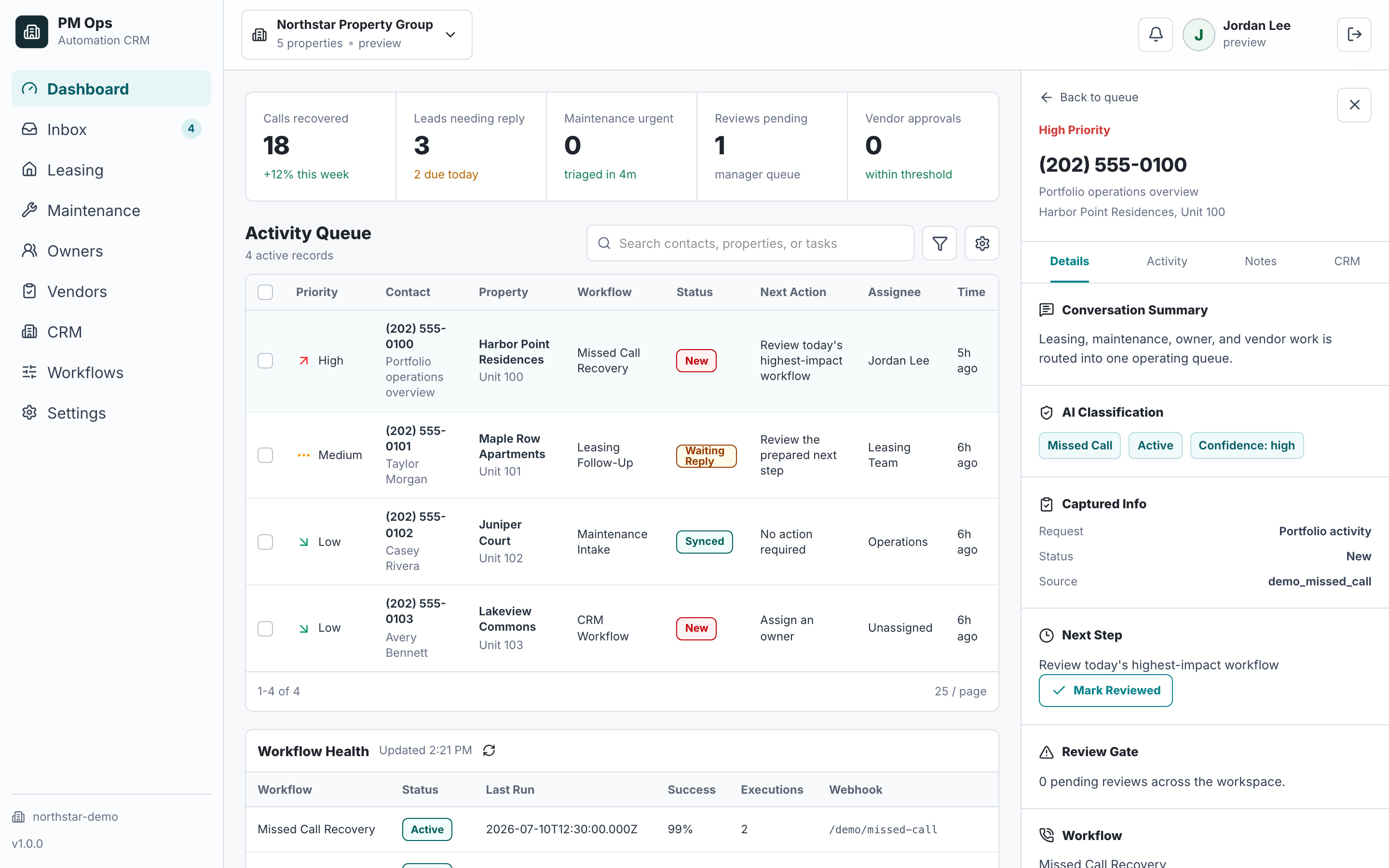
Define the trigger, input records, business rules, approvals, destination systems, and desired outcome. A custom engagement can connect several steps without replacing your property management system.
A solution configured to your approved workflow, not a generic software subscription.
Clear responsibility for approvals, exceptions, system access, and support.
Test evidence and a maintenance plan your team can review before launch.
Audit deliverables
Each install is scoped around concrete triggers, captured fields, automations, writebacks, stop rules, and escalation paths.
We map the current process, required fields, decisions, software access, exception owners, and acceptance checks before configuring the automation.
Approved rules handle intake, record updates, follow-up, notifications, scheduling, or voice and text assistance as needed for your scope.
Authorized integrations move the agreed fields between tools. If direct access is unavailable, a reviewed form, inbox, import, or staff task carries the handoff.
Sample records exercise normal work, missing information, duplicates, denied access, and connection failures. Your designated owner approves the test evidence.
Your team receives operating instructions, escalation contacts, measurement definitions, and a walkthrough of the approved workflow.
The engagement includes a 30-day post-launch optimization window. Monitoring, support, reporting, and further automations follow the agreed ongoing scope.
Integration paths
The final connection depends on account permissions, supported APIs, fields, webhooks, and the safest available fallback. EMC2Ops verifies the path before promising an automated writeback.
Holds the current status, accountable staff owner, permissions, next event, and separate audience histories.
Scope supported resident, owner, maintenance, task, or note handoffs after access is verified.
Connect supported communication and work-order paths through the safest available integration route.
Keep resident acknowledgements, access questions, updates, opt-outs, and exceptions in role-specific threads.
Send approved scope or reviewable status without exposing resident, owner, vendor, or internal-only context to the wrong audience.
Coordinate status changes with supported APIs, inbox parsing, forms, Zapier, Make, n8n, or custom logic.
Workflow audit
Tell us the process, software, and desired result. We will outline a plan to build your solution and confirm the access, approvals, and ongoing support it needs.
Operational change
Qualification
Yes. The listed services are examples. Describe the trigger, current steps, software, and result you want. We confirm feasibility, required access, human approvals, and support before committing to a build.
Not solely to add automation. We work with supported connections and authorized records in your existing tools. Direct access is confirmed during scoping; a reviewed handoff is an option when the required action is unavailable.
Bring the process you want to automate, the software involved, a sample input and desired output, and the decisions that must remain with staff. Do not send resident personal information in the initial inquiry.
Your proposal defines the workflow complexity, integrations, testing, rollout, and ongoing support. Access dependencies and approvals affect the schedule. Provider usage costs are identified separately; work starts against an agreed scope.
EMC2Ops maintains the solution within the agreed support scope. The handoff identifies monitoring, issue reporting, ownership, and change procedures. New processes and expanded requirements are scoped before implementation.
Next step
Bring your process and software. In a 15-minute consultation, we’ll outline the build, required access, approvals, and next steps.
Hi — I’m the EMC2Ops assistant. I can answer questions, discuss the workflow you want to automate, or get a consultation on the calendar.
What brings you here?